

Blog

  • 11 Best Boutique Hotels in Singapore That Locals Actually Recommend

    Singapore’s boutique hotel scene has transformed dramatically over the past decade. Cookie-cutter chains still dominate the skyline, but tucked between heritage shophouses and revitalized warehouse districts, a new breed of accommodation has emerged. These properties offer something most travelers crave but rarely find: genuine personality.

    Key Takeaway

    Singapore’s best boutique hotels blend heritage architecture with contemporary design, offering intimate stays in neighborhoods like Chinatown, Kampong Glam, and Robertson Quay. Expect personalized service, locally inspired interiors, and authentic neighborhood experiences. Most properties feature 50 rooms or fewer, curated art collections, and thoughtful amenities that reflect Singapore’s multicultural identity. Prices range from mid-tier to luxury, with exceptional value compared to international chain hotels.

    Why Boutique Hotels Matter in Singapore

    Chain hotels deliver predictability. You know exactly what the lobby will smell like, how the pillows will feel, and where the minibar sits.

    Boutique properties reject this formula entirely.

    They occupy buildings with stories. A former spice warehouse. A row of 1920s shophouses. A colonial-era printing press. The architecture alone tells you something about Singapore’s layered history that no branded property can match.

    Service feels different too. Staff remember your name after one interaction. They recommend hawker stalls their families visit, not tourist traps. The concierge might be the owner’s cousin who grew up three streets away.

    For travelers who want to understand Singapore beyond Marina Bay Sands and Orchard Road, these hotels serve as cultural gateways. Your accommodation becomes part of the experience, not just a place to sleep.

    What Defines a True Boutique Hotel

    Not every small hotel qualifies as boutique. The term gets misused constantly.

    Authentic boutique properties share specific characteristics:

    • Fewer than 100 rooms, often closer to 20 or 30
    • Distinctive design that reflects local culture or heritage
    • Independently owned or part of a small collection
    • Personalized service with high staff-to-guest ratios
    • Unique food and beverage concepts beyond standard breakfast buffets
    • Location in characterful neighborhoods rather than business districts
    • Curated art, furniture, and amenities that tell a cohesive story

    Size alone doesn’t make a hotel boutique. A soulless 40-room property near the airport with generic furniture qualifies as small, not boutique. The difference lies in intention and execution.

    How to Choose the Right Boutique Hotel

    Your ideal property depends on what you value most during your Singapore stay.

    1. Identify your neighborhood priorities first. Chinatown offers heritage and hawker food. Kampong Glam provides Arab Street’s textile shops and cafes. Robertson Quay sits along the river with restaurants and bars.

    2. Decide between heritage and contemporary design. Some travelers prefer sleeping in a restored shophouse with original tiles and wooden shutters. Others want minimalist concrete and floor-to-ceiling windows.

    3. Consider your mobility needs. Many boutique hotels occupy older buildings with stairs, no lifts, or split-level rooms. If accessibility matters, verify details before booking.

    4. Check the food situation. Some properties offer elaborate breakfast spreads. Others provide nothing beyond coffee. Know what you’re getting, especially if you’re not an early riser who wants to hunt for breakfast.

    5. Read recent reviews for service quality. Boutique hotels live or die by their staff. A property with stunning design but indifferent service becomes frustrating fast.

    Neighborhood Guide for Boutique Stays

    Different districts offer completely different experiences.

    Neighborhood Character Best For Typical Price Range
    Chinatown Heritage shophouses, temples, street food Culture seekers, foodies SGD 180-400
    Kampong Glam Arab Quarter, indie shops, cafes Creative types, younger travelers SGD 200-450
    Tiong Bahru Art deco estates, hipster cafes, bookshops Design lovers, quiet seekers SGD 220-380
    Robertson Quay Riverside, restaurants, nightlife Social travelers, couples SGD 250-500
    Katong/Joo Chiat Peranakan heritage, local beaches Family travelers, culture enthusiasts SGD 160-320

    Each area connects easily to the MRT system. You won’t feel stranded choosing any of these locations.

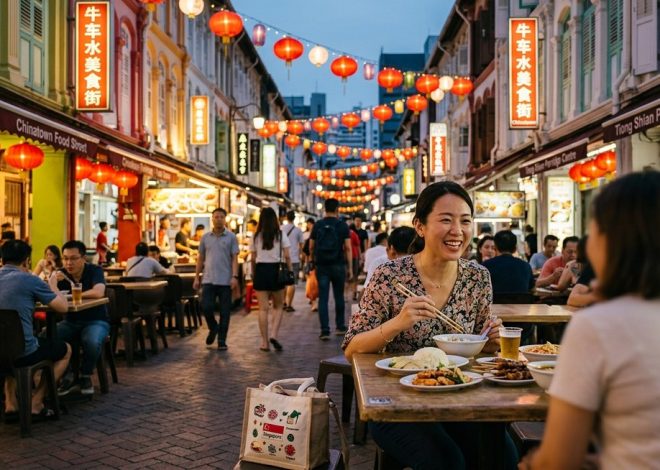
    Chinatown properties put you within walking distance of Maxwell Food Centre, Buddha Tooth Relic Temple, and the original Thian Hock Keng temple. Morning walks through wet markets show you how locals actually shop.

    Kampong Glam hotels sit near Sultan Mosque, Haji Lane’s murals, and Arab Street’s fabric vendors. The neighborhood feels young and creative without trying too hard.

    Tiong Bahru offers the most residential experience. You’ll share sidewalks with families heading to the market, not tour groups. The art deco architecture photographs beautifully during golden hour.

    Robertson Quay balances nightlife access with relative quiet. You can walk to Clarke Quay’s bars but return to a calmer riverside setting.

    Katong and Joo Chiat provide the most authentic Peranakan culture. Colorful shophouses line Koon Seng Road. Traditional kueh shops operate alongside modern cafes.

    What to Expect from Service

    Boutique hotels in Singapore typically operate with small teams who wear multiple hats.

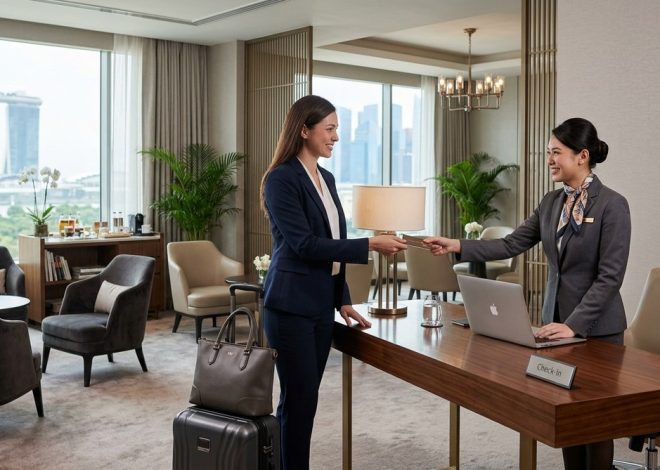
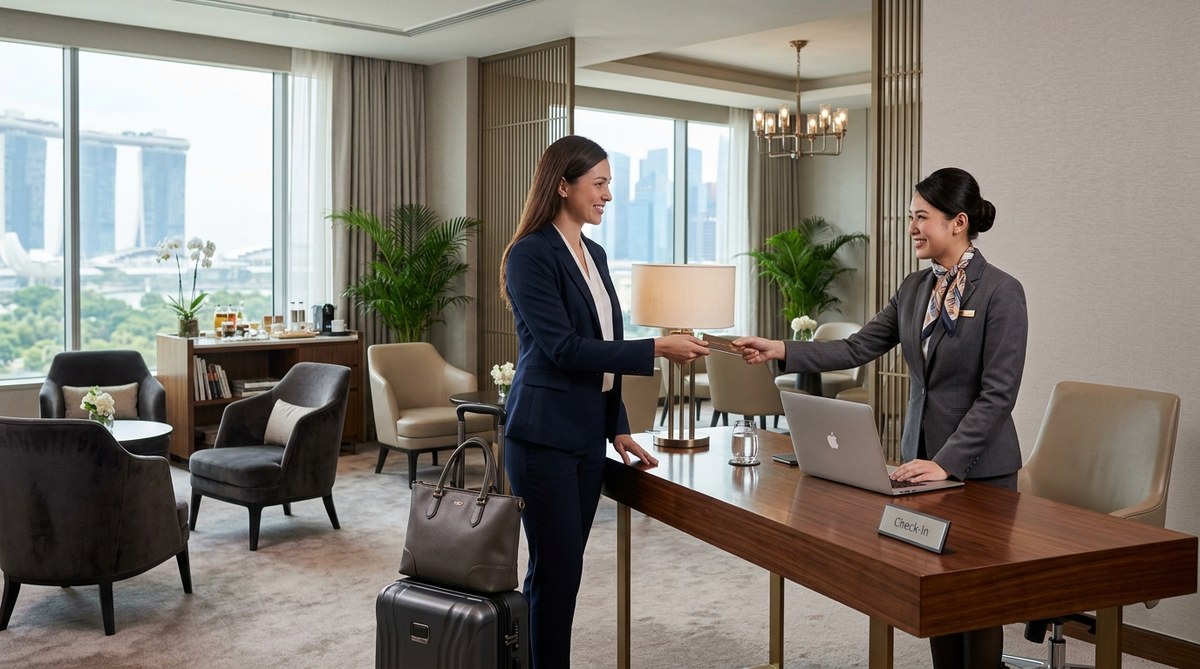
    The person checking you in might also recommend dinner spots, arrange your airport transfer, and remember you prefer oat milk in your coffee. This intimacy creates memorable stays when done well.

    “The best boutique hotels feel like staying with a well-traveled friend who happens to own a beautiful home. You get insider knowledge, genuine hospitality, and the freedom to come and go as you please without feeling monitored.” – Hotel consultant with 15 years in Singapore hospitality

    Expect staff to know the property inside out. They can tell you which room gets the best morning light, where the quietest corner of the courtyard sits, and how to operate the vintage ceiling fan.

    Many properties offer complimentary perks that chains charge for: afternoon tea, evening cocktails, smartphone rentals with unlimited data, or bike loans for neighborhood rides.

    The tradeoff? Fewer staff means slower response times during busy periods. You might wait 20 minutes for extra towels. Room service often doesn’t exist. Some travelers find this charming. Others find it annoying.

    Design Elements That Set Properties Apart

    Singapore’s boutique hotels showcase remarkable creativity within tight spatial constraints.

    Heritage properties work with existing architecture. Original floor tiles get restored and incorporated into modern bathrooms. Wooden beams become design features rather than obstacles. Courtyards that once served as air wells transform into intimate dining spaces.

    Contemporary boutique hotels play with Singapore’s tropical climate. Indoor-outdoor spaces blur boundaries. Vertical gardens cool interiors naturally. Rooftop bars maximize limited square footage.

    Local art appears throughout thoughtful properties. Emerging Singaporean artists get gallery space in lobbies and hallways. Some hotels rotate exhibitions quarterly, giving repeat visitors new visual experiences.

    Furniture often mixes vintage pieces from local dealers with custom-built items. You might find a 1960s rattan chair beside a contemporary concrete side table. The eclecticism feels intentional, not random.

    Bathrooms receive particular attention. Even compact rooms often feature rain showers, local bath products, and clever storage solutions. Some properties install vintage fixtures salvaged from demolished buildings.

    Common Mistakes Travelers Make

    Booking solely based on Instagram photos leads to disappointment.

    That stunning rooftop shot might represent the only photogenic corner of an otherwise ordinary property. The heritage facade could hide poorly maintained interiors. Beautiful design doesn’t guarantee comfortable beds or functional air conditioning.

    Ignoring location details causes frustration. A hotel described as “near Chinatown” might sit a 15-minute walk from the actual action. “Close to MRT” could mean five minutes or twenty, depending on who’s measuring.

    Assuming all boutique hotels suit families creates problems. Many properties cater specifically to couples or solo travelers. Rooms might be too small for rollaway beds. Common areas might lack child-friendly features.

    Overlooking cancellation policies proves costly. Boutique hotels often enforce stricter policies than chains. Some require 14-day notice for full refunds. Others charge immediately and offer no flexibility.

    Skipping direct booking comparisons wastes money. While OTAs provide convenience, many boutique properties offer better rates, free upgrades, or additional perks when you book through their own websites.

    Seasonal Considerations and Booking Strategy

    Singapore doesn’t experience dramatic seasonal shifts, but timing still matters.

    Peak periods include:

    • December holidays and New Year
    • Chinese New Year (January or February)
    • Formula One weekend (September)
    • Major conferences at Marina Bay Sands
    • School holidays in neighboring countries

    During these windows, boutique hotels fill up months ahead. Prices increase 30-50% above typical rates. Your favorite property might be completely booked.

    The sweet spot for availability and value runs from February through May, and again from late September through early November. Weather stays consistent. Crowds thin slightly. Hotels offer more flexibility with rates and upgrades.

    Book at least 60 days ahead for specific properties during normal periods. For peak times, reserve 90-120 days out. The best boutique hotels maintain loyal followings who return annually and book far in advance.

    Consider reaching out directly after booking through an OTA. Some properties will match the rate and add perks like late checkout or complimentary breakfast. Not all will negotiate, but asking costs nothing.

    Beyond the Room Itself

    The best boutique hotels function as neighborhood hubs, not isolated accommodations.

    Ground-floor cafes welcome locals alongside hotel guests. You’ll overhear Singlish conversations and observe daily rhythms. Some properties host community events, art openings, or live music nights.

    Rooftop spaces serve as social centers. Solo travelers find it easier to strike up conversations over sunset drinks than in a massive chain hotel lobby. The intimate scale encourages interaction without forcing it.

    Many boutique hotels partner with local businesses for guest experiences. Complimentary walking tours led by neighborhood residents. Cooking classes in nearby homes. Access to private clubs or galleries.

    These connections matter if you’re trying to understand Singapore beyond surface-level tourism. Your hotel becomes a bridge to authentic local life rather than a barrier from it.

    For first-time visitors wanting to balance tourist highlights with genuine local experiences, pairing a boutique hotel stay with practical navigation tips helps you move confidently through the city. Learning how to navigate Singapore like a local transforms your entire trip.

    Value Proposition Compared to Chains

    Boutique hotels rarely compete on price alone.

    A room at a major chain might cost SGD 200 with rewards points, consistent quality, and a pool. A boutique property at the same price offers smaller rooms, possibly no pool, and variable quality.

    So why choose boutique?

    The experience feels fundamentally different. You’re supporting independent businesses rather than international corporations. Your money stays more local. The design, service, and location create memories that generic hotels simply cannot match.

    For travelers who view accommodation as part of the adventure rather than just a sleeping space, boutique hotels deliver exceptional value. You’re paying for uniqueness, personality, and connection.

    For those who primarily want a clean bed, reliable wifi, and proximity to business meetings, chains make more sense. Neither choice is wrong. They serve different needs.

    Making Your Boutique Hotel Stay Count

    Maximize your experience by engaging with what makes these properties special.

    Chat with staff about their favorite neighborhood spots. They know which hawker stall makes the best char kway teow, which temple holds the most interesting ceremonies, and which streets look magical at dawn.

    Spend time in common areas rather than hiding in your room. Many boutique hotels design these spaces specifically for lingering. You might meet interesting travelers or stumble into impromptu conversations with locals.

    Try the hotel’s restaurant or bar even if you planned to eat out. Boutique properties often run exceptional food programs that reflect the owner’s vision. The chef might be experimenting with Peranakan-French fusion or reviving forgotten Singaporean recipes.

    Ask about special access or experiences. Some hotels arrange private tours, early market visits, or introductions to local artists and craftspeople. These opportunities rarely appear on websites but exist for guests who express interest.

    Take advantage of loaner items. Many properties offer bikes, smartphones with local SIM cards, umbrellas, or even cameras. These thoughtful touches enhance your ability to experience the neighborhood independently.

    Where Your Stay Fits Into the Bigger Picture

    Choosing a boutique hotel signals what kind of traveler you want to be.

    You’re opting out of standardization. You’re prioritizing character over convenience. You’re willing to trade familiar comforts for memorable experiences.

    This approach extends beyond accommodation. Travelers who choose boutique hotels tend to seek out independent restaurants over chains, local designers over international brands, and neighborhood coffee shops over Starbucks.

    Your hotel choice becomes the foundation for how you experience Singapore. Stay in a heritage shophouse in Chinatown, and you’ll naturally spend more time in wet markets, temples, and traditional coffee shops. Choose a contemporary property in Tiong Bahru, and you’ll find yourself in bookshops, design stores, and modern cafes.

    Neither path is superior. Both offer authentic Singapore experiences. The key is aligning your accommodation with your travel style and curiosities.

    Finding Your Perfect Match

    The best boutique hotel for you might disappoint another traveler completely.

    Someone seeking quiet retreat will hate a property with a buzzing ground-floor bar. Design minimalists will find heritage clutter overwhelming. Social butterflies will feel isolated in a remote residential location.

    Start by honestly assessing your priorities. Rank these factors:

    • Neighborhood character and walkability
    • Design aesthetic and room size
    • Food and beverage quality
    • Social atmosphere versus privacy
    • Price and overall value
    • Specific amenities like pools or gyms

    Your top three priorities should guide your search. A property that nails your most important factors while compromising on lower priorities usually delivers satisfaction.

    Read reviews from travelers who share your preferences. A complaint about “too much nightlife noise” might be a selling point if you love vibrant neighborhoods. Criticism of “small rooms” matters less if you plan to spend minimal time indoors.

    Trust your gut when browsing photos and descriptions. If a property’s vibe excites you, that enthusiasm often translates to a positive stay. If something feels off, keep looking.

    Your Boutique Hotel Adventure Awaits

    Singapore’s boutique hotel scene offers something increasingly rare in modern travel: genuine distinctiveness.

    These properties resist homogenization. They celebrate local identity. They create spaces where design, service, and location combine into experiences you’ll actually remember years later.

    The extra research required to find your ideal match pays dividends. You’ll return home with stories about the hotel owner who shared family recipes, the rooftop where you watched thunderstorms roll in, or the shophouse room where morning light filtered through century-old shutters.

    Start your search by identifying which neighborhood calls to you. Let that guide your property options. Read beyond marketing copy to understand what makes each hotel genuinely special. Book directly when possible to support independent operators and secure the best value.

    Your accommodation choice shapes your entire Singapore experience. Make it count.

  • 11 Best Boutique Hotels in Singapore That Locals Actually Recommend

    Singapore’s boutique hotel scene has transformed dramatically over the past decade. Cookie-cutter chains still dominate the skyline, but tucked between heritage shophouses and revitalized warehouse districts, a new breed of accommodation has emerged. These properties offer something most travelers crave but rarely find: genuine personality.

    Key Takeaway

    Singapore’s best boutique hotels blend heritage architecture with contemporary design, offering intimate stays in neighborhoods like Chinatown, Kampong Glam, and Robertson Quay. Expect personalized service, locally inspired interiors, and authentic neighborhood experiences. Most properties feature 50 rooms or fewer, curated art collections, and thoughtful amenities that reflect Singapore’s multicultural identity. Prices range from mid-tier to luxury, with exceptional value compared to international chain hotels.

    Why Boutique Hotels Matter in Singapore

    Chain hotels deliver predictability. You know exactly what the lobby will smell like, how the pillows will feel, and where the minibar sits.

    Boutique properties reject this formula entirely.

    They occupy buildings with stories. A former spice warehouse. A row of 1920s shophouses. A colonial-era printing press. The architecture alone tells you something about Singapore’s layered history that no branded property can match.

    Service feels different too. Staff remember your name after one interaction. They recommend hawker stalls their families visit, not tourist traps. The concierge might be the owner’s cousin who grew up three streets away.

    For travelers who want to understand Singapore beyond Marina Bay Sands and Orchard Road, these hotels serve as cultural gateways. Your accommodation becomes part of the experience, not just a place to sleep.

    What Defines a True Boutique Hotel

    Not every small hotel qualifies as boutique. The term gets misused constantly.

    Authentic boutique properties share specific characteristics:

    • Fewer than 100 rooms, often closer to 20 or 30
    • Distinctive design that reflects local culture or heritage
    • Independently owned or part of a small collection
    • Personalized service with high staff-to-guest ratios
    • Unique food and beverage concepts beyond standard breakfast buffets
    • Location in characterful neighborhoods rather than business districts
    • Curated art, furniture, and amenities that tell a cohesive story

    Size alone doesn’t make a hotel boutique. A soulless 40-room property near the airport with generic furniture qualifies as small, not boutique. The difference lies in intention and execution.

    How to Choose the Right Boutique Hotel

    Your ideal property depends on what you value most during your Singapore stay.

    1. Identify your neighborhood priorities first. Chinatown offers heritage and hawker food. Kampong Glam provides Arab Street’s textile shops and cafes. Robertson Quay sits along the river with restaurants and bars.

    2. Decide between heritage and contemporary design. Some travelers prefer sleeping in a restored shophouse with original tiles and wooden shutters. Others want minimalist concrete and floor-to-ceiling windows.

    3. Consider your mobility needs. Many boutique hotels occupy older buildings with stairs, no lifts, or split-level rooms. If accessibility matters, verify details before booking.

    4. Check the food situation. Some properties offer elaborate breakfast spreads. Others provide nothing beyond coffee. Know what you’re getting, especially if you’re not an early riser who wants to hunt for breakfast.

    5. Read recent reviews for service quality. Boutique hotels live or die by their staff. A property with stunning design but indifferent service becomes frustrating fast.

    Neighborhood Guide for Boutique Stays

    Different districts offer completely different experiences.

    Neighborhood Character Best For Typical Price Range
    Chinatown Heritage shophouses, temples, street food Culture seekers, foodies SGD 180-400
    Kampong Glam Arab Quarter, indie shops, cafes Creative types, younger travelers SGD 200-450
    Tiong Bahru Art deco estates, hipster cafes, bookshops Design lovers, quiet seekers SGD 220-380
    Robertson Quay Riverside, restaurants, nightlife Social travelers, couples SGD 250-500
    Katong/Joo Chiat Peranakan heritage, local beaches Family travelers, culture enthusiasts SGD 160-320

    Each area connects easily to the MRT system. You won’t feel stranded choosing any of these locations.

    Chinatown properties put you within walking distance of Maxwell Food Centre, Buddha Tooth Relic Temple, and the original Thian Hock Keng temple. Morning walks through wet markets show you how locals actually shop.

    Kampong Glam hotels sit near Sultan Mosque, Haji Lane’s murals, and Arab Street’s fabric vendors. The neighborhood feels young and creative without trying too hard.

    Tiong Bahru offers the most residential experience. You’ll share sidewalks with families heading to the market, not tour groups. The art deco architecture photographs beautifully during golden hour.

    Robertson Quay balances nightlife access with relative quiet. You can walk to Clarke Quay’s bars but return to a calmer riverside setting.

    Katong and Joo Chiat provide the most authentic Peranakan culture. Colorful shophouses line Koon Seng Road. Traditional kueh shops operate alongside modern cafes.

    What to Expect from Service

    Boutique hotels in Singapore typically operate with small teams who wear multiple hats.

    The person checking you in might also recommend dinner spots, arrange your airport transfer, and remember you prefer oat milk in your coffee. This intimacy creates memorable stays when done well.

    “The best boutique hotels feel like staying with a well-traveled friend who happens to own a beautiful home. You get insider knowledge, genuine hospitality, and the freedom to come and go as you please without feeling monitored.” – Hotel consultant with 15 years in Singapore hospitality

    Expect staff to know the property inside out. They can tell you which room gets the best morning light, where the quietest corner of the courtyard sits, and how to operate the vintage ceiling fan.

    Many properties offer complimentary perks that chains charge for: afternoon tea, evening cocktails, smartphone rentals with unlimited data, or bike loans for neighborhood rides.

    The tradeoff? Fewer staff means slower response times during busy periods. You might wait 20 minutes for extra towels. Room service often doesn’t exist. Some travelers find this charming. Others find it annoying.

    Design Elements That Set Properties Apart

    Singapore’s boutique hotels showcase remarkable creativity within tight spatial constraints.

    Heritage properties work with existing architecture. Original floor tiles get restored and incorporated into modern bathrooms. Wooden beams become design features rather than obstacles. Courtyards that once served as air wells transform into intimate dining spaces.

    Contemporary boutique hotels play with Singapore’s tropical climate. Indoor-outdoor spaces blur boundaries. Vertical gardens cool interiors naturally. Rooftop bars maximize limited square footage.

    Local art appears throughout thoughtful properties. Emerging Singaporean artists get gallery space in lobbies and hallways. Some hotels rotate exhibitions quarterly, giving repeat visitors new visual experiences.

    Furniture often mixes vintage pieces from local dealers with custom-built items. You might find a 1960s rattan chair beside a contemporary concrete side table. The eclecticism feels intentional, not random.

    Bathrooms receive particular attention. Even compact rooms often feature rain showers, local bath products, and clever storage solutions. Some properties install vintage fixtures salvaged from demolished buildings.

    Common Mistakes Travelers Make

    Booking solely based on Instagram photos leads to disappointment.

    That stunning rooftop shot might represent the only photogenic corner of an otherwise ordinary property. The heritage facade could hide poorly maintained interiors. Beautiful design doesn’t guarantee comfortable beds or functional air conditioning.

    Ignoring location details causes frustration. A hotel described as “near Chinatown” might sit a 15-minute walk from the actual action. “Close to MRT” could mean five minutes or twenty, depending on who’s measuring.

    Assuming all boutique hotels suit families creates problems. Many properties cater specifically to couples or solo travelers. Rooms might be too small for rollaway beds. Common areas might lack child-friendly features.

    Overlooking cancellation policies proves costly. Boutique hotels often enforce stricter policies than chains. Some require 14-day notice for full refunds. Others charge immediately and offer no flexibility.

    Skipping direct booking comparisons wastes money. While OTAs provide convenience, many boutique properties offer better rates, free upgrades, or additional perks when you book through their own websites.

    Seasonal Considerations and Booking Strategy

    Singapore doesn’t experience dramatic seasonal shifts, but timing still matters.

    Peak periods include:

    • December holidays and New Year
    • Chinese New Year (January or February)
    • Formula One weekend (September)
    • Major conferences at Marina Bay Sands
    • School holidays in neighboring countries

    During these windows, boutique hotels fill up months ahead. Prices increase 30-50% above typical rates. Your favorite property might be completely booked.

    The sweet spot for availability and value runs from February through May, and again from late September through early November. Weather stays consistent. Crowds thin slightly. Hotels offer more flexibility with rates and upgrades.

    Book at least 60 days ahead for specific properties during normal periods. For peak times, reserve 90-120 days out. The best boutique hotels maintain loyal followings who return annually and book far in advance.

    Consider reaching out directly after booking through an OTA. Some properties will match the rate and add perks like late checkout or complimentary breakfast. Not all will negotiate, but asking costs nothing.

    Beyond the Room Itself

    The best boutique hotels function as neighborhood hubs, not isolated accommodations.

    Ground-floor cafes welcome locals alongside hotel guests. You’ll overhear Singlish conversations and observe daily rhythms. Some properties host community events, art openings, or live music nights.

    Rooftop spaces serve as social centers. Solo travelers find it easier to strike up conversations over sunset drinks than in a massive chain hotel lobby. The intimate scale encourages interaction without forcing it.

    Many boutique hotels partner with local businesses for guest experiences. Complimentary walking tours led by neighborhood residents. Cooking classes in nearby homes. Access to private clubs or galleries.

    These connections matter if you’re trying to understand Singapore beyond surface-level tourism. Your hotel becomes a bridge to authentic local life rather than a barrier from it.

    For first-time visitors wanting to balance tourist highlights with genuine local experiences, pairing a boutique hotel stay with practical navigation tips helps you move confidently through the city. Learning how to navigate Singapore like a local transforms your entire trip.

    Value Proposition Compared to Chains

    Boutique hotels rarely compete on price alone.

    A room at a major chain might cost SGD 200 with rewards points, consistent quality, and a pool. A boutique property at the same price offers smaller rooms, possibly no pool, and variable quality.

    So why choose boutique?

    The experience feels fundamentally different. You’re supporting independent businesses rather than international corporations. Your money stays more local. The design, service, and location create memories that generic hotels simply cannot match.

    For travelers who view accommodation as part of the adventure rather than just a sleeping space, boutique hotels deliver exceptional value. You’re paying for uniqueness, personality, and connection.

    For those who primarily want a clean bed, reliable wifi, and proximity to business meetings, chains make more sense. Neither choice is wrong. They serve different needs.

    Making Your Boutique Hotel Stay Count

    Maximize your experience by engaging with what makes these properties special.

    Chat with staff about their favorite neighborhood spots. They know which hawker stall makes the best char kway teow, which temple holds the most interesting ceremonies, and which streets look magical at dawn.

    Spend time in common areas rather than hiding in your room. Many boutique hotels design these spaces specifically for lingering. You might meet interesting travelers or stumble into impromptu conversations with locals.

    Try the hotel’s restaurant or bar even if you planned to eat out. Boutique properties often run exceptional food programs that reflect the owner’s vision. The chef might be experimenting with Peranakan-French fusion or reviving forgotten Singaporean recipes.

    Ask about special access or experiences. Some hotels arrange private tours, early market visits, or introductions to local artists and craftspeople. These opportunities rarely appear on websites but exist for guests who express interest.

    Take advantage of loaner items. Many properties offer bikes, smartphones with local SIM cards, umbrellas, or even cameras. These thoughtful touches enhance your ability to experience the neighborhood independently.

    Where Your Stay Fits Into the Bigger Picture

    Choosing a boutique hotel signals what kind of traveler you want to be.

    You’re opting out of standardization. You’re prioritizing character over convenience. You’re willing to trade familiar comforts for memorable experiences.

    This approach extends beyond accommodation. Travelers who choose boutique hotels tend to seek out independent restaurants over chains, local designers over international brands, and neighborhood coffee shops over Starbucks.

    Your hotel choice becomes the foundation for how you experience Singapore. Stay in a heritage shophouse in Chinatown, and you’ll naturally spend more time in wet markets, temples, and traditional coffee shops. Choose a contemporary property in Tiong Bahru, and you’ll find yourself in bookshops, design stores, and modern cafes.

    Neither path is superior. Both offer authentic Singapore experiences. The key is aligning your accommodation with your travel style and curiosities.

    Finding Your Perfect Match

    The best boutique hotel for you might disappoint another traveler completely.

    Someone seeking quiet retreat will hate a property with a buzzing ground-floor bar. Design minimalists will find heritage clutter overwhelming. Social butterflies will feel isolated in a remote residential location.

    Start by honestly assessing your priorities. Rank these factors:

    • Neighborhood character and walkability
    • Design aesthetic and room size
    • Food and beverage quality
    • Social atmosphere versus privacy
    • Price and overall value
    • Specific amenities like pools or gyms

    Your top three priorities should guide your search. A property that nails your most important factors while compromising on lower priorities usually delivers satisfaction.

    Read reviews from travelers who share your preferences. A complaint about “too much nightlife noise” might be a selling point if you love vibrant neighborhoods. Criticism of “small rooms” matters less if you plan to spend minimal time indoors.

    Trust your gut when browsing photos and descriptions. If a property’s vibe excites you, that enthusiasm often translates to a positive stay. If something feels off, keep looking.

    Your Boutique Hotel Adventure Awaits

    Singapore’s boutique hotel scene offers something increasingly rare in modern travel: genuine distinctiveness.

    These properties resist homogenization. They celebrate local identity. They create spaces where design, service, and location combine into experiences you’ll actually remember years later.

    The extra research required to find your ideal match pays dividends. You’ll return home with stories about the hotel owner who shared family recipes, the rooftop where you watched thunderstorms roll in, or the shophouse room where morning light filtered through century-old shutters.

    Start your search by identifying which neighborhood calls to you. Let that guide your property options. Read beyond marketing copy to understand what makes each hotel genuinely special. Book directly when possible to support independent operators and secure the best value.

    Your accommodation choice shapes your entire Singapore experience. Make it count.

  • The Ultimate First-Timer’s Guide to Navigating Singapore Like a Local

    Singapore looks intimidating on paper. A tiny island with strict laws, multiple languages, and a reputation for being expensive. But here’s what actually happens when you land: the airport is clearer than most shopping malls, the trains make sense within minutes, and locals speak English better than half the countries you’ve visited.

    Your first Singapore trip doesn’t need months of planning. It needs the right information in the right order.

    Key Takeaway

    This first time Singapore travel guide covers visa requirements, transport systems, accommodation zones, essential apps, local etiquette, and practical budgeting. You’ll learn how to move around efficiently, where to stay based on your interests, which foods to try, and how to avoid common tourist mistakes while experiencing Singapore authentically.

    Before You Book Your Flight

    Singapore grants visa-free entry to citizens from most Western countries, Australia, New Zealand, Japan, South Korea, and several Southeast Asian nations. Check the Immigration and Checkpoints Authority website for your specific passport.

    Most visitors get 30 or 90 days on arrival. No paperwork. No queues beyond immigration.

    The best time to visit depends on what you value. December to February brings slightly cooler weather (25-28°C) but higher accommodation prices and crowds. June to August is school holiday season, meaning packed attractions but vibrant energy. March to May and September to November offer the sweet spot: manageable weather, fewer tourists, and better hotel rates.

    Rain happens year-round. Pack a light umbrella. Singapore’s tropical downpours are intense but brief.

    Getting From Changi Airport to Your Hotel

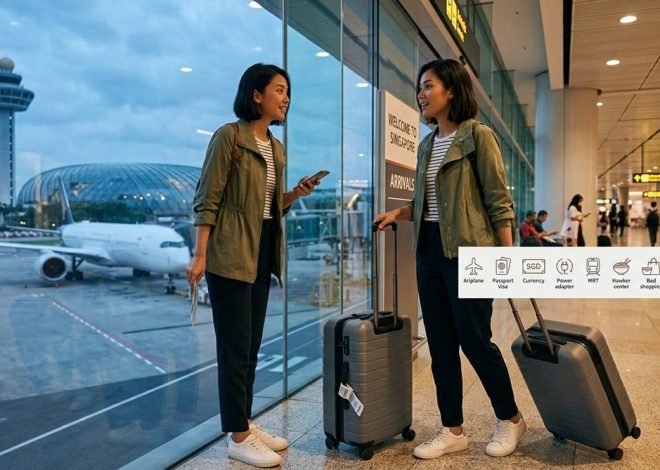
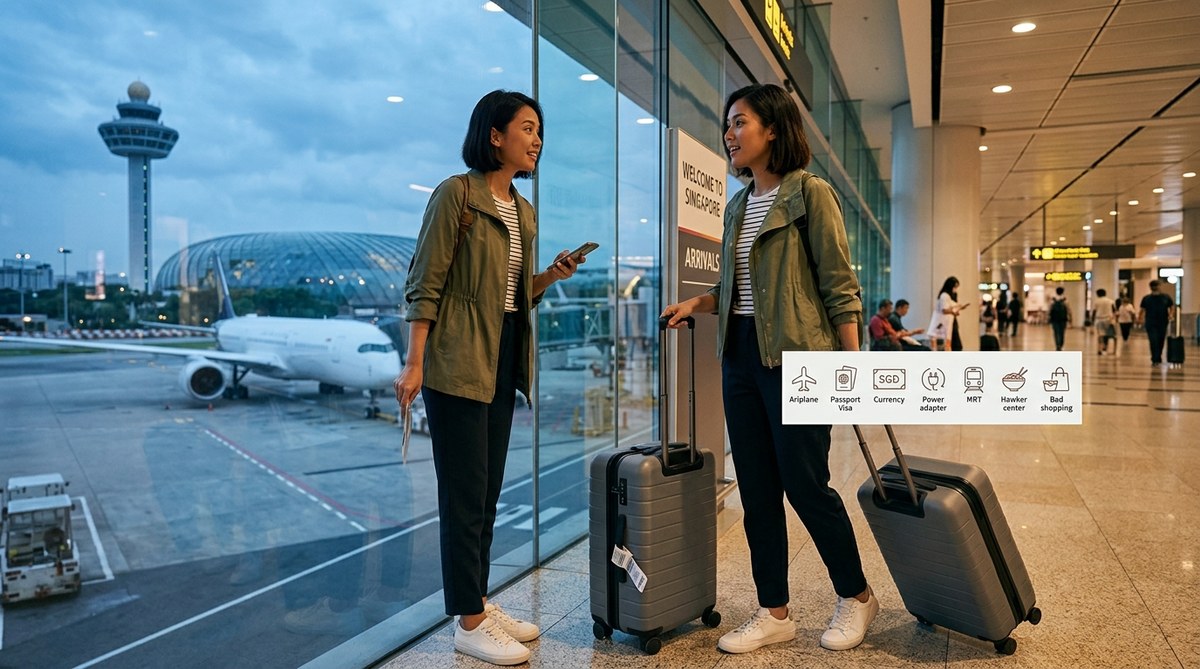
    Changi Airport consistently ranks as the world’s best. That’s not marketing. The signage actually makes sense.

    Your transport options:

    1. MRT (Mass Rapid Transit): Take the green East-West Line from Terminals 2 and 3, or the orange Downtown Line from Terminal 3. Journey to the city centre costs S$2.50 and takes 30-40 minutes. Trains run from 5:30am to midnight.

    2. Airport Shuttle: Shared buses run to major hotels for around S$9 per person. Convenient if your accommodation is on the route.

    3. Taxi or Grab: Fixed fares to the city centre range from S$20-35 depending on your destination. Grab (Southeast Asia’s Uber) often costs less than traditional taxis.

    4. Private Transfer: Pre-booked cars start around S$50. Worth it if you’re arriving late or travelling with family.

    The MRT is your best choice for solo travellers or couples with light luggage. It’s clean, safe, and runs like clockwork.

    Understanding Singapore’s Transport System

    Singapore’s public transport is genuinely world-class. The MRT connects every major area. Buses fill the gaps. Both accept the same payment methods.

    Get an EZ-Link card at any MRT station for S$12 (S$5 deposit, S$7 stored value). Tap in, tap out. That’s it. The card works on trains, buses, and even at some convenience stores.

    Alternatively, use your contactless credit card. Most international Visa and Mastercard work on the system without setup.

    Google Maps handles route planning perfectly. Type your destination, select public transport, and follow the instructions. Trains arrive every 2-5 minutes during peak hours, 5-7 minutes off-peak.

    Walking is underrated here. Singapore is compact. Marina Bay to Chinatown? 25 minutes on foot through air-conditioned malls and covered walkways. Clarke Quay to Little India? 30 minutes past interesting shophouses and local cafes.

    Taxis and Grab are affordable compared to Western cities. A 15-minute ride rarely exceeds S$15.

    Choosing Where to Stay

    Your accommodation location shapes your entire experience. Singapore’s neighbourhoods have distinct personalities.

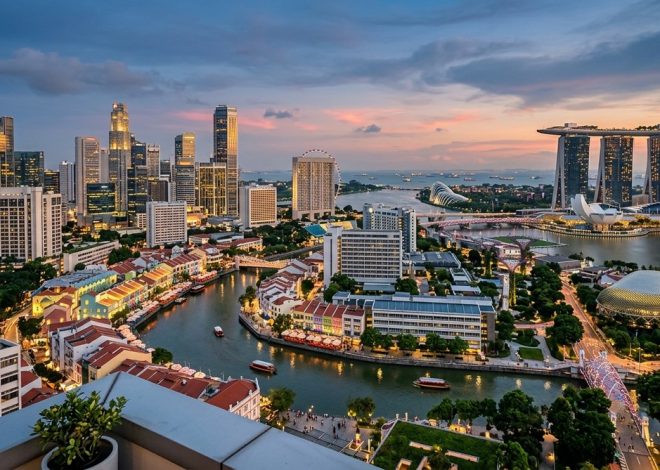
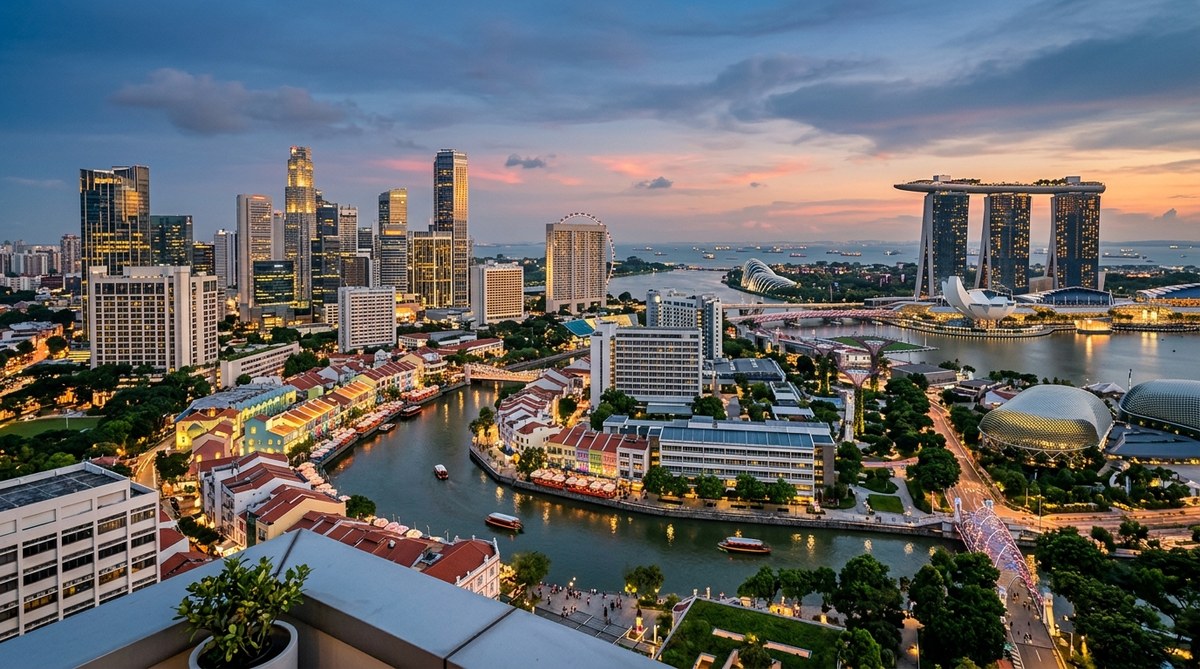
    Marina Bay puts you near the iconic skyline, Gardens by the Bay, and Marina Bay Sands. It’s modern, photogenic, and expensive. Great for first-timers who want the postcard Singapore experience.

    Chinatown offers heritage shophouses, hawker centres, and temples within walking distance. Accommodation ranges from budget hostels to boutique hotels. This area has character and connects easily to other districts.

    Little India brings colour, authentic Indian cuisine, and lower prices. It’s grittier than Marina Bay but far more interesting. Perfect for travellers who prefer local atmosphere over polish.

    Orchard Road is shopping central. Hotels here are upscale, and you’re surrounded by malls. Convenient but lacks the cultural depth of Chinatown or Little India.

    Bugis and Kampong Glam blend history with hipster cafes. Arab Street’s Sultan Mosque anchors this area, while Haji Lane offers Instagram-worthy murals and independent boutiques.

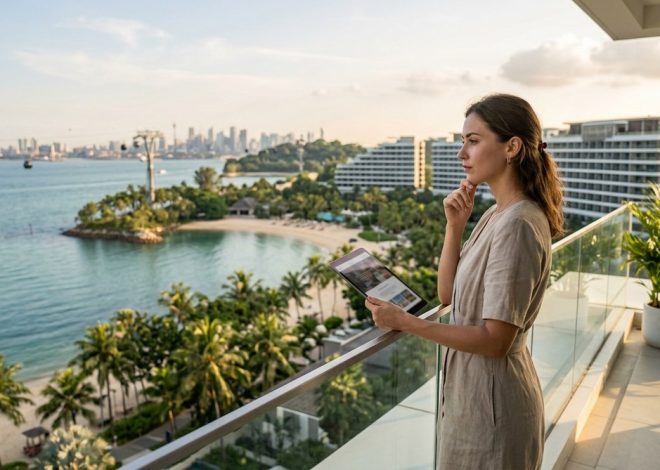
    Sentosa is Singapore’s resort island. Choose this if you want beaches, theme parks, and a vacation-within-a-vacation feel. You’ll need to travel to the main island for most sightseeing.

    Budget travellers should focus on Chinatown or Little India. Mid-range visitors have options everywhere. Luxury seekers gravitate toward Marina Bay or Sentosa.

    “Stay where you want to spend your mornings and evenings. Singapore’s transport makes daytime travel easy, but you’ll appreciate being near good breakfast spots and evening entertainment in your own neighbourhood.” – Local hotel concierge with 15 years experience

    Essential Apps and Services

    Download these before your flight lands:

    • Google Maps: Navigation that actually works
    • Grab: Ride-hailing and food delivery
    • SimplyGo: Check your transport card balance
    • Hungry Hub: Restaurant reservations with discounts
    • WeatherSG: Accurate rain forecasts

    Buy a local SIM card at the airport. Singtel, StarHub, and M1 offer tourist packages with 100GB data for S$15-30. Coverage is excellent everywhere.

    Most hotels, cafes, shopping centres, and even MRT stations provide free WiFi. But having mobile data removes the stress of finding connections.

    What to Eat and Where to Find It

    Singapore’s food scene is the real attraction. Forget the Merlion. Come for the hawker centres.

    Hawker centres are open-air food courts with dozens of stalls selling local dishes for S$3-6 per meal. They’re not tourist traps. Locals eat here daily.

    Must-try hawker centres:

    • Maxwell Food Centre (Chinatown): Famous for Tian Tian Hainanese Chicken Rice
    • Old Airport Road Food Centre: Massive selection, fewer tourists
    • Tekka Centre (Little India): Best for Indian and Muslim cuisine
    • Lau Pa Sat (Financial District): Historic building, evening satay street

    Essential dishes for first-timers:

    Dish What It Is Where to Try It
    Hainanese Chicken Rice Poached chicken with fragrant rice Tian Tian, Maxwell Food Centre
    Laksa Spicy coconut noodle soup 328 Katong Laksa
    Char Kway Teow Stir-fried flat noodles Hill Street Tai Hwa Pork Noodle
    Satay Grilled meat skewers with peanut sauce Lau Pa Sat evening street
    Nasi Lemak Coconut rice with various sides Selera Rasa Nasi Lemak
    Roti Prata Indian flatbread with curry The Roti Prata House

    Restaurants are pricier but still reasonable. A decent meal costs S$15-30 per person. High-end dining can reach S$100+ per person.

    Coffee culture here is unique. Try traditional kopi (coffee with condensed milk) at any kopitiam (coffee shop). It costs S$1.50 and tastes nothing like Starbucks.

    Local Customs and Rules You Actually Need to Know

    Singapore’s strict laws are real but practical. You won’t accidentally break them.

    Don’t do these things:

    • Smoke outside designated zones (heavy fines apply)
    • Eat or drink on the MRT (S$500 fine)
    • Litter (S$300 fine for first offence)
    • Jaywalk (S$50 fine, rarely enforced but possible)
    • Bring chewing gum for commercial purposes (personal use is fine)

    Do these things:

    • Stand on the left of escalators, walk on the right
    • Let people exit trains before boarding
    • Queue properly (Singaporeans take this seriously)
    • Keep your voice down in public spaces
    • Tip only at upscale restaurants (10% service charge is usually included)

    Dress codes are relaxed. Shorts and t-shirts work everywhere except high-end restaurants and religious sites. Bring something to cover shoulders and knees for temples and mosques.

    Singapore is safe. Women travel solo without issues. Petty crime is rare. You can leave your laptop on a cafe table while ordering. That said, use common sense.

    Building Your Itinerary

    Three days is the minimum to see Singapore properly. Five days lets you breathe. Seven days means you can take day trips to nearby islands.

    Day One Focus: Orientation and icons

    Start at Marina Bay. See the Merlion, walk through Gardens by the Bay, and catch the evening light show at the Supertree Grove. End at a hawker centre for dinner.

    Day Two Focus: Cultural neighbourhoods

    Morning in Chinatown (Buddha Tooth Relic Temple, traditional shops). Afternoon in Little India (Sri Veeramakaliamman Temple, colourful streets). Evening at Clarke Quay for riverside dining.

    Day Three Focus: Modern Singapore

    Orchard Road shopping, then Sentosa for beaches or Universal Studios. Alternatively, visit the Singapore Zoo or Botanic Gardens.

    Additional Days: Add Kampong Glam, East Coast Park, Pulau Ubin island, or the Southern Ridges walking trail.

    Don’t pack every hour. Singapore’s heat and humidity drain energy faster than you expect. Schedule afternoon breaks in air-conditioned spaces.

    Common Mistakes First-Timers Make

    Underestimating the heat: You’ll sweat more than anticipated. Carry water. Take breaks. Don’t schedule outdoor activities between 11am and 3pm.

    Overpaying for tourist attractions: Marina Bay Sands SkyPark costs S$32. The view from Pinnacle@Duxton costs S$6 and is equally impressive. Many parks and temples are free.

    Eating only at hawker centres: They’re great, but Singapore’s restaurant scene deserves attention. Budget for at least one proper meal at a local restaurant.

    Staying only in Marina Bay: You’ll miss the real Singapore. Spend time in neighbourhoods where locals actually live.

    Not checking public holidays: Chinese New Year, Deepavali, and Hari Raya affect opening hours and crowd levels. Plan accordingly.

    Assuming everything is expensive: Accommodation and alcohol cost more than Southeast Asian neighbours. But food, transport, and many attractions are reasonably priced.

    Budget Planning That Makes Sense

    Singapore costs more than Thailand or Vietnam but less than Australia or Western Europe.

    Daily budget estimates (per person):

    • Budget traveller: S$80-120 (hostel, hawker food, public transport)
    • Mid-range traveller: S$150-250 (decent hotel, mix of hawker and restaurants, occasional taxi)
    • Comfort traveller: S$300+ (nice hotel, restaurants, convenient transport, attractions)

    Money-saving strategies:

    • Eat breakfast at your hotel, lunch at hawker centres, dinner at mid-range restaurants
    • Book accommodation outside peak season
    • Use the MRT instead of taxis
    • Visit free attractions (Botanic Gardens, temples, neighbourhood walks)
    • Buy alcohol at supermarkets instead of bars (it’s significantly cheaper)

    Splurge-worthy experiences:

    • One signature restaurant meal (Burnt Ends, Odette, or Candlenut)
    • Singapore Sling at Raffles Hotel (touristy but iconic)
    • Night Safari at the zoo
    • Afternoon tea at a heritage hotel

    ATMs are everywhere. Credit cards work at most establishments except hawker centres and small shops. Carry S$50-100 cash daily.

    Making Your Trip Feel Less Touristy

    Want to experience Singapore like someone who lives here? Follow these patterns.

    Eat where locals eat: If the hawker stall has a queue of office workers at lunch, join it. If the kopitiam is full of retirees reading newspapers, sit down and order kopi.

    Use neighbourhood markets: Tekka Market, Tiong Bahru Market, and Chinatown Complex have wet markets on lower floors. They’re fascinating even if you don’t buy anything.

    Take the bus: Tourists stick to the MRT. Locals use buses for shorter trips. Upper deck front seats offer great city views.

    Visit on weekday mornings: Tourist attractions are packed on weekends. Go early on Tuesday or Wednesday for a different experience.

    Ask locals for recommendations: Singaporeans love sharing food opinions. Ask your hotel staff, Grab drivers, or shop owners where they eat.

    Skip some icons: You don’t need to see everything. Choose what genuinely interests you rather than ticking boxes.

    Your Singapore Trip Starts Here

    Singapore rewards preparation without punishing spontaneity. Book your accommodation and sort your arrival transport. Everything else can happen on the ground.

    The city is designed to be navigable. Signs are clear. People speak English. Systems work. Your biggest challenge won’t be logistics but deciding which hawker stall to try next.

    Start with the practical basics in this guide. Then let Singapore surprise you with the details you didn’t plan for. That’s where the real experience lives.